
You open Instagram, stare at the blank caption box, and close the app. Three days later, you remember you never posted. A week turns into a month, and your last post starts to look like proof that the business quietly gave up. This isn’t a motivation problem — it’s a bandwidth problem. The good news is that AI tools for small business social media consistency can take over the repetitive parts of the job, so showing up online stops depending on how much energy you have left at 9 PM.
Why Consistency Is Harder Than It Looks for Small Businesses
Posting once when inspiration strikes is easy. Posting every week, on schedule, for months in a row, is a different challenge entirely. Most small business owners aren’t short on ideas — they’re short on time, and social media competes directly with sales calls, order fulfillment, and everything else that keeps the lights on.
Research from small business marketing studies backs this up: businesses that post consistently build trust and visibility faster than those with sporadic activity, even when the sporadic posts are higher quality. Algorithms on nearly every platform reward accounts that show up reliably, and audiences do too. A follower who sees you every week starts to recognize your brand. A follower who sees you once a month forgets you exist.
The businesses that struggle most usually fall into one of three traps: they try to do everything manually, they don’t have a repeatable system, or they treat social media as an afterthought instead of a scheduled task. AI tools solve all three problems at once by removing the manual labor and building the system for you.
How AI Tools Actually Solve the Consistency Problem
AI-powered social media tools don’t just save time — they remove the specific bottlenecks that cause small businesses to fall off their posting schedule in the first place.
- Idea generation on demand. Instead of staring at a blank page, you type a topic and get five caption options in seconds.
- Batch content creation. A month of posts can be drafted in one sitting instead of daily scrambling.
- Automated scheduling. Once content is written, it publishes itself at the right time without you touching your phone.
- Brand voice memory. Many tools learn your tone so every post sounds like you, even when you’re rushed.
- Repurposing. One blog post or video becomes five different posts across platforms automatically.
This is the real shift: AI doesn’t replace your voice; it protects your schedule. The businesses that win on social media aren’t the ones with the most polished content; they’re the ones who show up reliably, week after week, and that reliability is exactly what these tools are built to support.
Best AI Tools for Small Business Social Media Consistency
Here’s a practical breakdown of tools small business owners actually use to stay consistent, organized by what they’re best at.
| Tool | Best For | Starting Price | Key AI Feature |
| Buffer | Beginners and solo owners | Free plan available | AI caption writing and optimal posting times |
| Hootsuite | Growing businesses managing multiple accounts | Around $99/month | Content suggestions and analytics-based scheduling |
| SocialBee | Evergreen content recycling | Paid plans, free trial | Category-based scheduling that automatically reuses content |
| Canva | Visual content creation | Free plan available | AI-generated graphics, templates, and brand kits |
| Flick | Instagram-focused businesses | Around $14/month | AI hashtag and caption generation |
You don’t need all five. Most small businesses do well starting with one scheduling tool and one design tool, then adding more only if a real gap shows up.
1. Buffer — Best for Getting Started Without a Budget
Buffer is often the first tool small business owners try, and for good reason. Its AI assistant suggests captions, recommends the best times to post based on your actual audience activity, and lets you queue up content for the week in one sitting. The free plan is generous enough for a single-person business to run two or three social accounts without paying anything.
2. Hootsuite — Best for Multi-Platform Management
Once you’re juggling Instagram, Facebook, and LinkedIn at the same time, Hootsuite’s dashboard becomes worth the investment. Its AI recommends content ideas based on what’s already performing well for you, which takes the guesswork out of “what should I post today.”
3. SocialBee — Best for Recycling Evergreen Content
Not every post needs to be brand new. SocialBee organizes your content into categories, tips, testimonials, and promotions and automatically recycles older posts on a rotation. This alone can solve a consistency problem overnight, because you stop needing new content every single day.
4. Canva — Best for Visual Consistency
A scheduled post with no image, or a mismatched one, still breaks your visual identity. Canva’s AI tools generate on-brand graphics in seconds and store your brand colors, fonts, and logo so every post looks like it belongs to the same business.
5. Flick Best for Instagram-Specific Growth
Flick focuses entirely on Instagram, using AI to suggest hashtags and captions based on what’s currently working in your niche. For businesses that live and die by Instagram, this narrow focus is a strength, not a limitation.
How to Choose the Right AI Tool for Your Business
Not every business needs the same setup, and picking based on price alone often leads to paying for features you’ll never touch. Start by asking how many platforms you actually manage. A business posting only to Instagram doesn’t need Hootsuite’s multiplatform dashboard—Flick’s narrower focus will do the job better and cheaper.
Next, consider how much of your content is visual versus written. A service-based business like a bookkeeper or consultant leans on text-heavy posts and benefits more from a strong AI writing assistant like Buffer’s. A product-based business like a bakery or boutique lives or dies by imagery, which makes Canva’s design features the higher priority.
Budget matters too, but not in the way most people assume. Free plans from Buffer and Canva cover a surprising amount of ground for a single-person operation. The upgrade to a paid plan usually becomes worth it only once you’re managing three or more platforms, need a team content calendar, or want deeper analytics than the free tier offers. Test the free version first, run it for a full month, and only upgrade once you’ve hit an actual limitation rather than a hypothetical one.
Finally, factor in how much editing you’re willing to do. Some AI writing tools produce content that needs heavy rewriting to sound human; others, especially ones that let you train them on past posts, get closer to your natural voice from the start. If editing every caption feels like its own part-time job, prioritize a tool with strong brand voice memory over one with more bells and whistles.
What Consistency Actually Looks Like Month to Month
It helps to picture what a realistic month looks like once these tools are in place, rather than treating “consistency” as an abstract goal. In week one, a business owner spends one focused hour generating and scheduling fifteen posts using an AI writing assistant, pulling from a mix of new photos and previously written notes about the business. Weeks two and three require almost no extra work, since everything is already queued and publishing automatically. In week four, the owner spends fifteen minutes reviewing which posts got the most engagement and adjusts the following month’s topics based on that data.
This is a very different rhythm from the common pattern of posting hard for two weeks, going quiet for a month, then feeling guilty and starting over. Platforms reward the steady rhythm, not the burst of effort, because algorithms are built to favor accounts that show predictable activity. Followers respond the same way—familiarity builds trust faster than occasional brilliance.
Real-World Ways Small Businesses Use These Tools
A home bakery owner records a single video while decorating a cake, then uses an AI tool to turn it into a Reel, three Instagram Stories, and a Facebook post, all before the cake is even boxed. A freelance bookkeeper batches one hour every Sunday, generating a week of LinkedIn tips using AI prompts, then schedules them all in one sitting. A boutique clothing shop uploads new arrival photos into Canva, applies a saved brand template, and has AI write three caption variations to test which one gets more engagement.
None of these examples require a marketing degree or a big budget. They require one system, repeated weekly, powered by tools that remove the manual grind.
Common Mistakes to Avoid When Using AI for Social Media
AI tools fix the time problem, but they can create new problems if used carelessly.
- Posting AI content without editing it. Generic, unedited AI captions are easy to spot and can make a brand feel impersonal. Always adjust the tone to sound like you.
- Automating everything, including engagement. Scheduling posts is fine to automate; replying to real customer comments should stay human.
- Choosing too many tools at once. Juggling five platforms creates the same overwhelm you were trying to escape. Start with one.
- Ignoring analytics. AI scheduling tools show you what’s working — skipping that data means repeating the same low-performing posts.
- Losing brand voice. If every AI caption sounds identical to every other business using the same tool, customers notice. Train the tool on your actual voice whenever the feature is available.
Building a Simple Weekly System
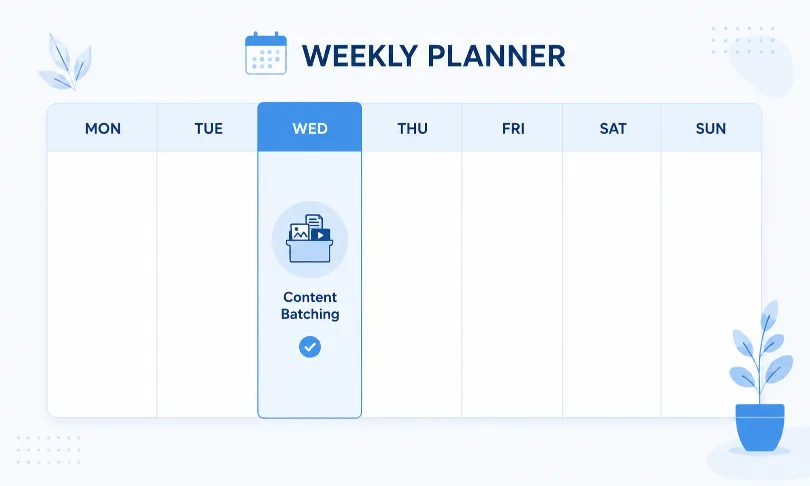
A sustainable system beats a perfect one. Set aside one hour a week; Sunday evening works well for most small business owners to plan and batch content using an AI writing tool. Use that same session to schedule everything in a tool like Buffer or SocialBee so nothing depends on remembering to post each day. Check analytics briefly once a week to see what resonated, and adjust your next batch accordingly. This single hour, repeated consistently, does more for a small business’s social presence than sporadic bursts of effort ever could.
Frequently Asked Questions
What are the best AI tools for small business social media consistency?
Buffer, Hootsuite, SocialBee, Canva, and Flick are among the most widely used options. Each handles a different part of the workflow, from writing captions to scheduling posts automatically, so businesses can maintain a regular presence without daily manual work.
Can AI tools completely replace a social media manager?
Not entirely. AI tools handle repetitive tasks like scheduling, caption drafting, and hashtag research very well. However, genuine customer engagement, strategy decisions, and brand judgment still benefit from a human touch, especially as a business grows.
Is it expensive to use AI for social media consistency?
No. Most tools, including Buffer and Canva, offer functional free plans that cover the needs of a single-person business. Paid plans typically start around $10 to $20 a month and only become necessary once you’re managing multiple accounts or need advanced analytics.
Will AI-generated posts hurt my brand’s authenticity?
Only if they’re published without edits. AI works best as a first draft. Reviewing and adjusting the tone before posting keeps content sounding like an actual person runs the account, which is exactly what builds trust with customers.
How much time can AI tools actually save on social media?
Small businesses commonly report cutting weekly social media time from ten or more hours down to two or three by batching content creation and automating scheduling, though the exact savings depend on how many platforms are being managed.
Do I need technical skills to use these AI social media tools?
No. Tools like Buffer, Canva, and Flick are built for non-technical users, with drag-and-drop interfaces and prompt-based AI features that require no coding or design background to use effectively.
Start Small, Stay Consistent
Consistency doesn’t require more hours in your day it requires fewer decisions standing between you and hitting publish. Pick one scheduling tool and one design tool from this list, block out one hour this week, and batch your first round of content. That single habit, repeated weekly, is what turns an inconsistent social presence into one customers actually remember.