Remote teams lose more time to tool confusion than most founders realize. Someone updates a task in one place, a teammate checks a different tab entirely, and by the end of the week nobody agrees on what actually shipped.
Notion and Trello are two of the most popular answers to that problem. They solve it in different ways. This Notion vs. Trello comparison breaks down where each tool wins for remote teams specifically, so you can pick based on how your team actually works rather than which app has the nicer marketing site.
Notion vs Trello: The Core Difference
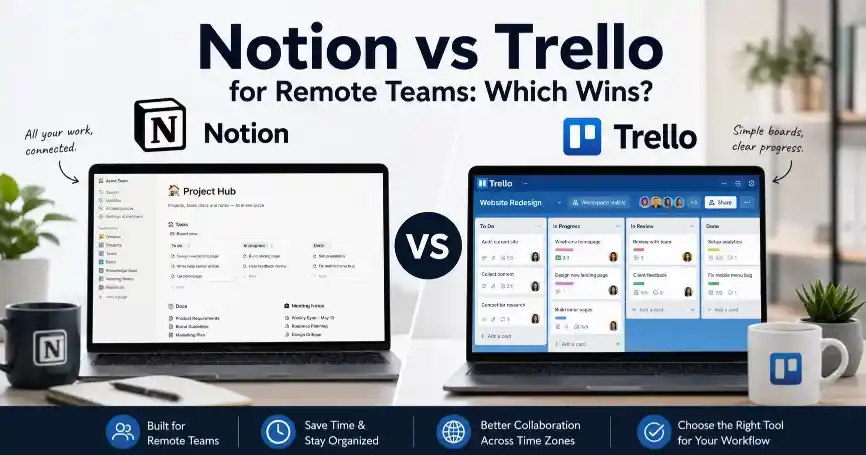
Trello is built around a single idea executed well: cards on a board, moving through columns as work progresses. Notion is built around a much broader idea, combining documents, databases, wikis, and task boards into one flexible workspace.
That difference matters most for remote teams, since distributed work depends heavily on written context. Trello keeps that context light, with short cards and comments. Notion lets a team build out full project pages with specs, meeting notes, and task tracking side by side.
Where Trello Wins for Remote Teams
Trello’s biggest strength for distributed teams is speed of understanding. A new teammate can look at a Trello board and grasp the whole workflow in minutes, since the entire system is just cards moving left to right. That low learning curve matters a lot for remote teams that hire quickly or bring on contractors for short projects.
Trello also handles simple handoffs cleanly across time zones. A task moves to “in review” in one region. A teammate elsewhere picks it up without needing to dig through a longer document to understand the context. For teams whose work is genuinely simple task tracking, this simplicity is a feature rather than a limitation.
Where Notion Wins for Remote Teams
Notion’s strength is keeping everything a remote team needs in one place instead of scattered across five different apps. A single Notion workspace can hold the task board, the team wiki, meeting notes, and onboarding documentation, which cuts down on the constant app switching that distributed teams often complain about.
This matters more as a remote team grows, since async communication depends on written context being easy to find. A well-organized Notion workspace lets a teammate in a different time zone find the answer to a question without waiting for someone else to wake up and reply. Notion also supports far more complex database structures than Trello, which suits teams tracking projects with many interconnected pieces.
Setup Time and Learning Curve
Trello wins clearly here. Most teams are productive in Trello within a single onboarding session, since the board and card structure requires almost no explanation. Notion takes longer to set up properly. A poorly structured Notion workspace can end up more confusing than a simple Trello board, since the platform gives teams enough rope to build something overly complicated.
Remote teams with limited time for internal tooling projects often start with Trello for this reason, then migrate to Notion later once someone has bandwidth to build out a proper structure.
Pricing for Remote Teams
Both tools offer usable free plans for small teams, with paid tiers adding more advanced permissions, guest access controls, and admin features as a team grows. Since a remote team often includes contractors or part-time collaborators, checking each tool’s guest access policy closely is worth doing before committing, since free and paid guest limits vary and change periodically.
Notion vs Trello Comparison Table
| Factor | Trello | Notion |
|---|---|---|
| Best for | Simple task tracking | Docs, wikis and tasks combined |
| Learning curve | Very low | Moderate to steep |
| Setup time | Minutes | Hours to days for a full workspace |
| Async communication | Basic, comment-based | Strong, full-page context |
| Flexibility | Low, single-board format | High, fully customisable |
| Best team size | Small teams, simple workflows | Growing teams with varied needs |
Verify current pricing and feature limits for both tools before publishing.
Which Should Your Remote Team Choose?
Pick Trello if your remote team runs a straightforward workflow, needs new members to be productive within minutes, and does not require deep documentation alongside task tracking. Pick Notion if your team wants one workspace for everything, values async written context, and has the time to set up a proper structure rather than defaulting to a flat task list.
Some remote teams use both, running Trello for day-to-day task tracking while keeping longer-term documentation and planning in Notion. If your team is still exploring the wider landscape of options, our roundup of the best free project management tools for startups covers several other choices worth considering alongside these two.
Frequently Asked Questions About Notion vs Trello for Remote Teams
Is Notion or Trello better for remote teams?
It depends on the team’s workflow. Trello suits remote teams that want simple, fast task tracking, while Notion suits teams that want documentation, wikis, and tasks combined in one workspace.
Can a remote team use both Notion and Trello together?
Yes, some remote teams use Trello for day-to-day task tracking and Notion for longer-term documentation and planning. This works well when each tool is used for what it does best rather than trying to force one tool to do everything.
Which tool is easier to learn for a new remote hire?
Trello is generally easier to learn quickly, since its card-and-board system requires almost no explanation. Notion takes longer to learn well, especially in a workspace with many interconnected pages and databases.
Does Notion or Trello handle time zones better?
Neither tool manages time zones directly. Notion’s stronger written context tends to help async handoffs across time zones more than Trello’s shorter, comment-based cards.
Is Trello or Notion cheaper for a small remote team?
Both offer usable free plans for small teams, with pricing scaling up through paid tiers as team size and feature needs grow. Guest access limits for contractors vary between the two, so checking current pricing pages before committing is worth doing.
Final Thoughts on Notion vs Trello for Remote Teams
Trello and Notion solve the same underlying problem in different ways. Neither is objectively better for every remote team. Trello rewards simplicity and speed, while Notion rewards teams willing to invest setup time for a more complete workspace.
Once you have picked a project management tool, pairing it with the right automation stack often saves even more time. Our guide on how automation tools save time for entrepreneurs covers how to connect tools like these into a smoother workflow.